Jessica and the Mac
An underappreciated facet of Jessica's was the extent that she was computer-literate and used a wide array of applications well before much of society.
1985: The "Fat Mac"
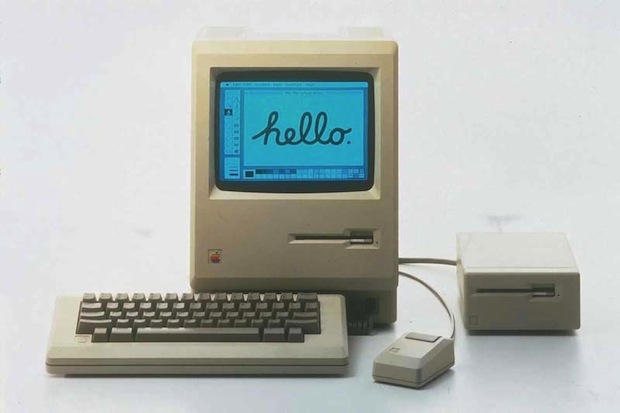
Photo credit: Cult of Mac web site
In 1985, when Jessica was director of the Temple Israel Nursery School, someone donated a 512K Macintosh (Wikipedia) to the Nursery School. This was only a year after the introduction of the original Macintosh in 1984. It improved upon the original Mac by quadrupling its RAM (to 512K, i.e. 1/2 of a megabyte). It had one floppy drive but no hard drive. so creating and saving documents meant a lot of floppy-swapping back and forth (the operating system and applications were on one 400K floppy and one's documents were on secondary ones).
(Full specs from EveryMac.com: 512K Mac)
Neither Jessica nor Michael had any personal computer experience at this time. But she leapt in with both feet and enthusiastically sought to learn how to use it and deploy it for all sorts of operations: She started with the word processor and created class lists as well as nursery school newsletters.
1986: The Mac Plus (at home)
It was only in June 1986 (just after I (David) graduated from college) that Michael and Jessica bought a computer for home, a Macintosh Plus (which initially doubled the RAM to a full megabyte, doubled floppy capacity to 800K, and had an internal hard drive. too.
By this time, I believe she had started to use Microsoft Multiplan, a very early
spreadsheet predecessor to Microsoft Excel.
(Every Mac: Mac
Plus)
Both of these computers had the classic look of the Mac with 9-inch diagonal, 512x384 pixel monochrome (not even grayscale) displays.
Buying a computer in 1986 felt (to David) a bit behind-the-times at the time, but in retrospect they were way ahead of the curve for modern graphical computers.
It was also not uncommon during this time that couples would share the same email address, and thus Jessica and Michael shared this email address (for personal and professional purposes) for more than 30 years, and she continued to use it after Michael's passing in April 2021.
So they began in an era of no networking at all, then moved to dial-up modems using the much-loved Eudora email program, a very early graphical interface for email (many aspects of it ended up in Mozilla Thunderbird.) (And by the end, she had this email address on her computer, iPad, and iPhone.)
Skype
This merits a page unto itself, but Jessica (and Michael) used Skype from within just a couple of months of its release in 2007, and it was discontinued by its eventual owner (Microsoft) in May 2025, just two months after Jessica's passing. I find this symmetry poignant.
Other applications and usage
The nature of computers is that learning one application makes it easier to learn the next one, even if it is in a completely different category. Thus, starting from word processors and spreadsheets, she was able to branch out into different tools. Another aspect of this is that one could learn such new tools as they came into existence, e.g., graphical email interfaces (discussed above) in the late 1980s and even the World Wide Web itself (and early web browsers) (developed in the early 1990s, and eventually to social media tools such as Facebook.
As I (David) gained experience with the Mac, too, I was able to introduce them to more tools that would be useful. One of these was Filemaker, Apple's easy-to-use database software. By the mid-1990s, Jessica and Michael used this for a phone/address databases, another database for cataloging compact disc recordings, and yet another for Nursery School business.
Much later (after 2006), Jessica used Leister Pro's Reunion software to manage family trees as she did her genealogical research.
Similarly, Michael was using Adobe PhotoDeluxe (a predecessor to Adobe Photoshop Elements) by 1998 or so; using Amadeus Pro (two-channel audio editor) for recording himself talking about family history, or using VueScan (circa 2002) to scan all sorts of family history photos or other documents.
Michael wrote several books' manuscripts for which the first draft was written out long-hand, and then Jessica would type these up in Microsoft Word (or MacWrite??) to facilitate his own next round of changes or send off to editors.
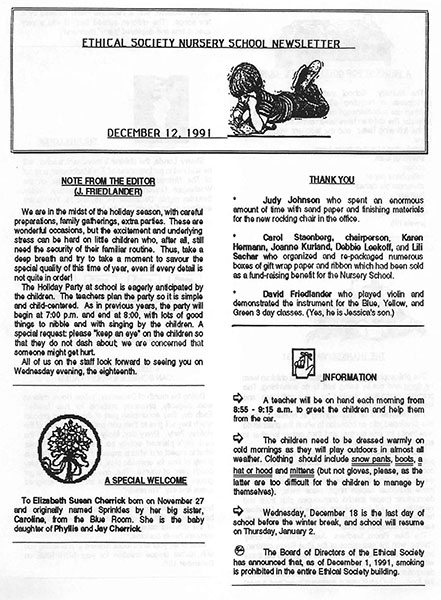
Shown below are some early 1990s documents with clip-art (long before it was easy or possible to include images) in newsletters or posters. However, right-justified text was visually striking for an amateur-produced newsletter, a very different look than what one could do on a typewriter. (Even then, it was just one click to achieve right- and left-justified text, but many readers of these documents were unfamiliar with/this.)
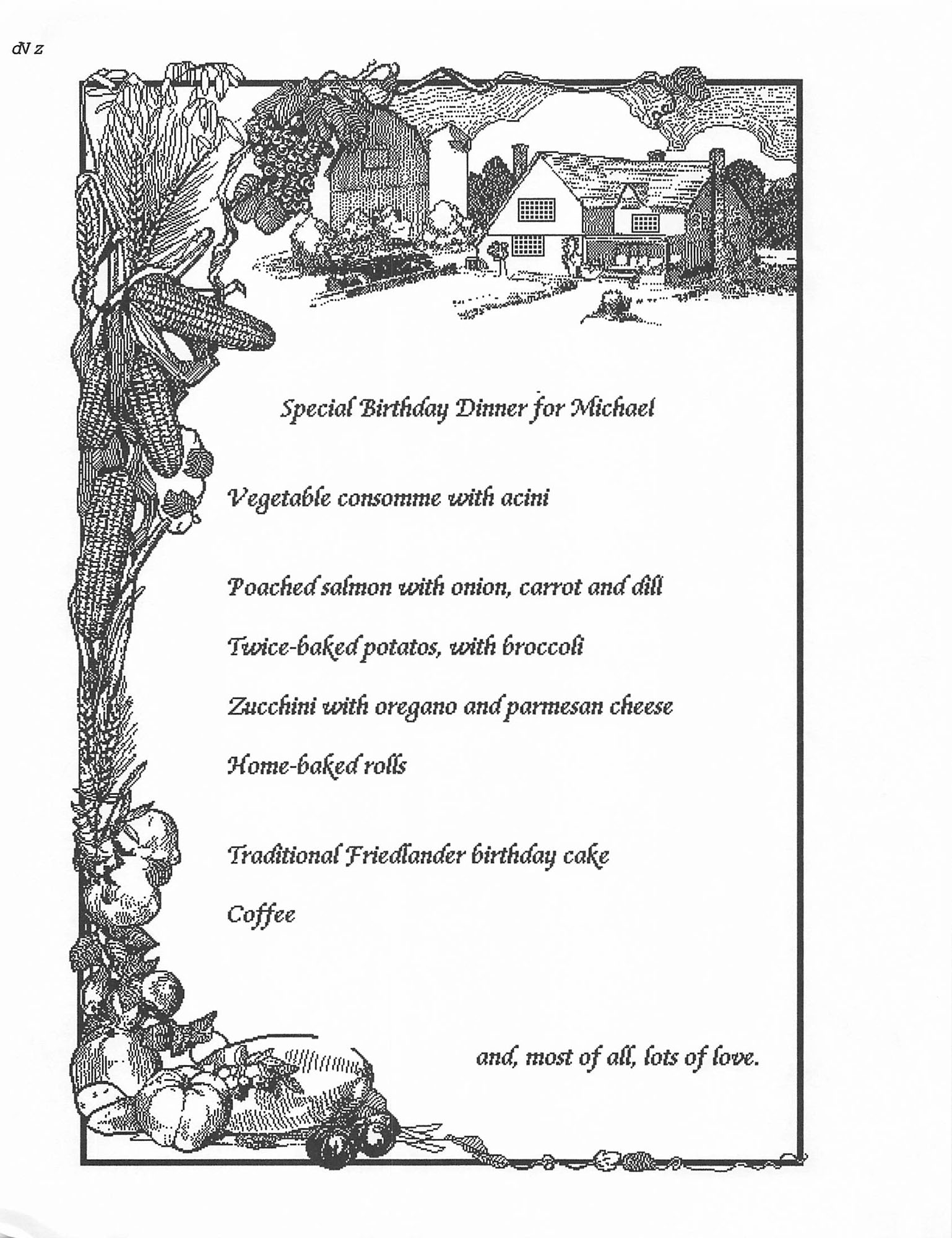
Undated: full page clip art
with Jessica menu
Clip art from mid-1980s "The Louvre" collection
They delighted in creating invitations to major social events (or just birthdays for each other) on the computer (sometimes illustrated with early clip-art) or Jessica typing up her recipes (some of which are reproduced elsewhere on this site).
Summary
Perhaps none of this seems remarkable in 2025 but for a couple in their 50s to early 60s to have this degree of computer facility then and use such a broad array of software during many of those roughly 35 years to follow seems unusual and amazing.